Appointment Workflow
This section explains how the clinic responds to patient activities throughout the appointment lifecycle. Understanding this workflow helps front desk staff know exactly what to do at each stage.
How the Clinic Responds to Patient Activities
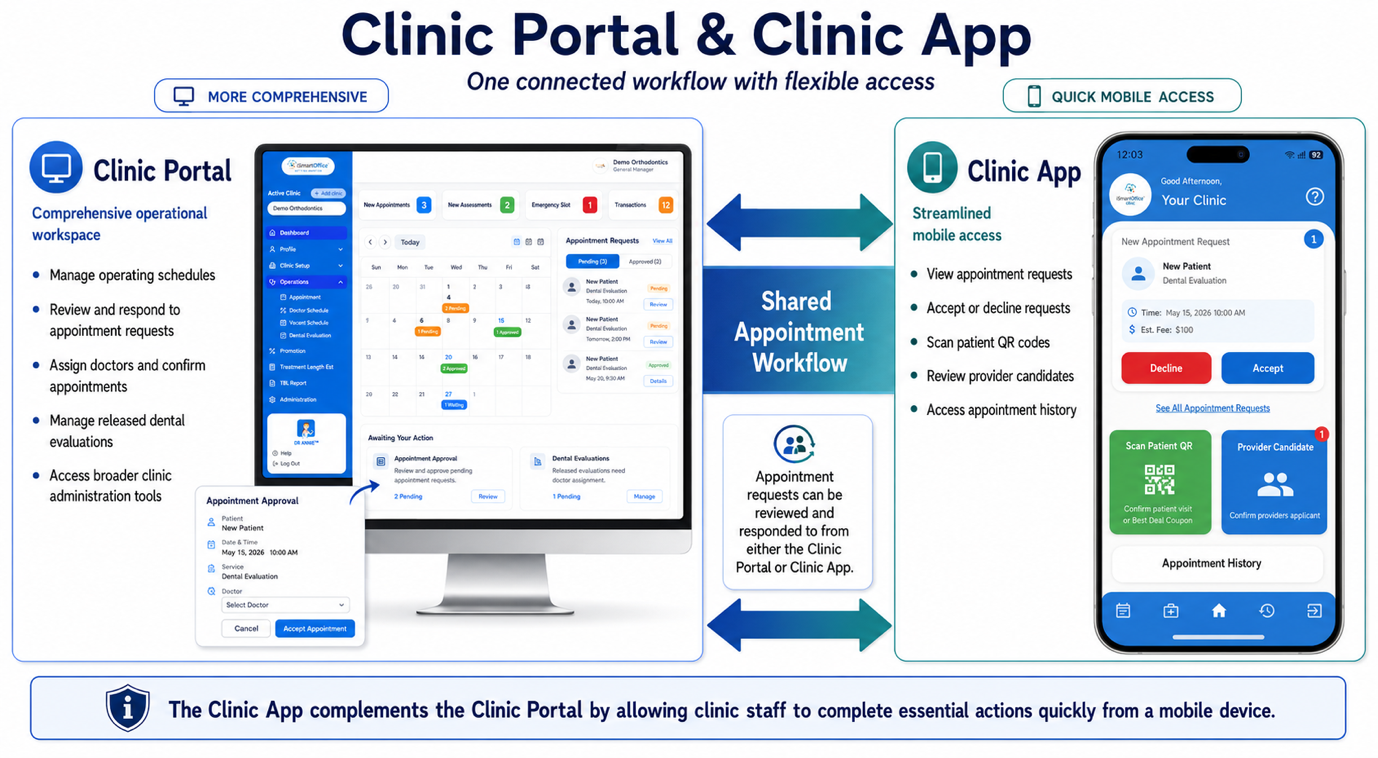
| Patient Activity | What the Clinic Receives | Required Clinic Action |
|---|---|---|
| The patient searches for a clinic | Clinic availability is displayed based on the configured operating schedule | Keep the clinic schedule, provider availability, and treatment coverage up to date |
| The patient submits an appointment request | A new appointment request appears in the Clinic Portal | Review the request and patient information |
| The patient uses DR. ANNIE™ and authorizes sharing | The released evaluation and generated treatment information become available | Review the preliminary information before assigning a provider |
| The patient selects a preferred date and time | The requested visit date and time appear in the appointment details | Verify actual provider availability |
| The clinic confirms the request | The appointment status is updated | Assign the appropriate doctor and confirm the appointment |
| The patient arrives at the clinic | The patient presents an appointment QR code | Scan the QR code using the Clinic App and confirm the visit |
Workflow Notes
Appointment vs. Evaluation Assignment
Appointment assignment and dental evaluation assignment are related but separate actions. Assigning a doctor to an appointment does not necessarily mean that the dental evaluation has also been assigned for provider review.
caution
- An appointment submitted through the Patient App is an appointment request and is not automatically confirmed.
- Clinic staff must review the request, verify provider availability, and assign the appropriate doctor before confirming the appointment.
- After the clinic reviews the request, the updated appointment status becomes visible to the patient in the Patient App.
- Clinic staff should continue to use the clinic's established PMS (Practice Management System) workflow for official scheduling, clinical documentation, and patient record management.
Best Practices for Front Desk Staff
- Keep schedules current — Regularly update clinic operating hours, provider availability, and treatment offerings to ensure accurate search results for patients.
- Review before confirming — Always verify actual provider availability against your PMS before accepting an appointment request.
- Assign evaluations separately — After accepting an appointment, remember to also assign the DR. ANNIE™ evaluation to the provider if one has been released.
- Use the Clinic App for quick actions — Accept/reject appointments, scan patient QR codes, and review provider candidates on the go.