Welcome to iSmartOffice™ Patient
▶ Watch: What is iSmartOffice™ Patient? — Opens in YouTube
This is iSmartOffice™ Patient. If you haven’t download the app yet, please download from the button below.
When you first open the app, you’ll see an introductory (boarding) screen that explains the basic functions of iSmartOffice™ Patient.
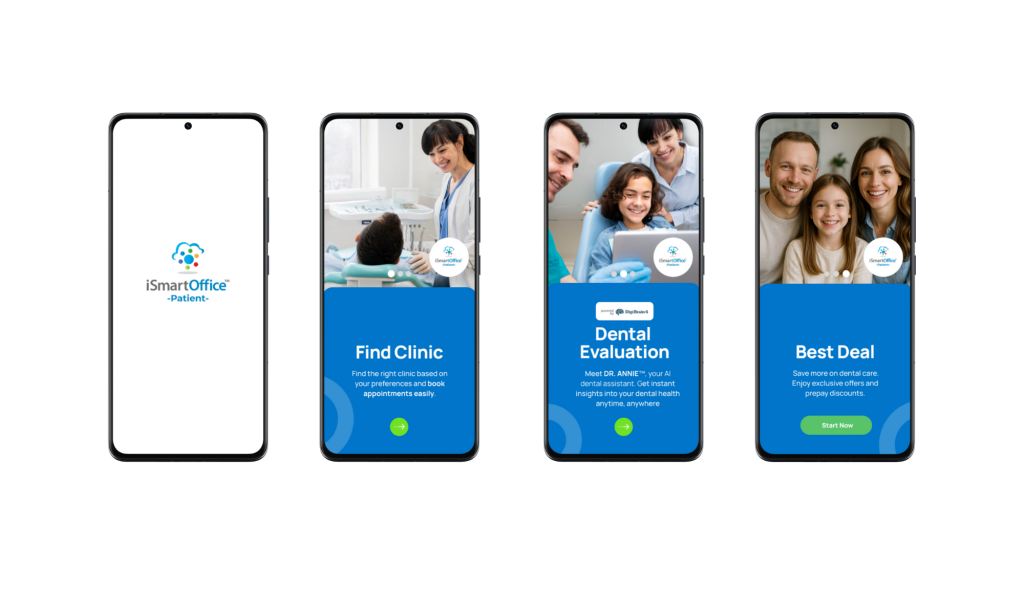
Tap Start Now, then choose your preferred language. After selecting a language, you will see a preview of the iSmartOffice™ Patient dashboard app.
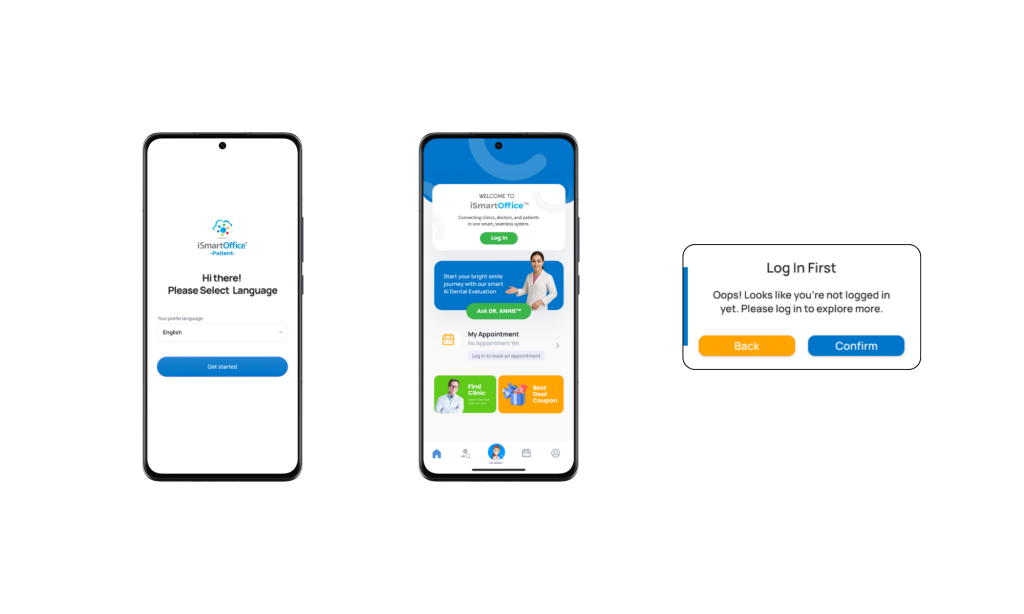
Note: You can change your language preference anytime in the Profile menu.
This dashboard provides a preview of some available features, though many will only be accessible once you log in or register.
To continue, please log in or create a new account.
How the Patient Journey Works
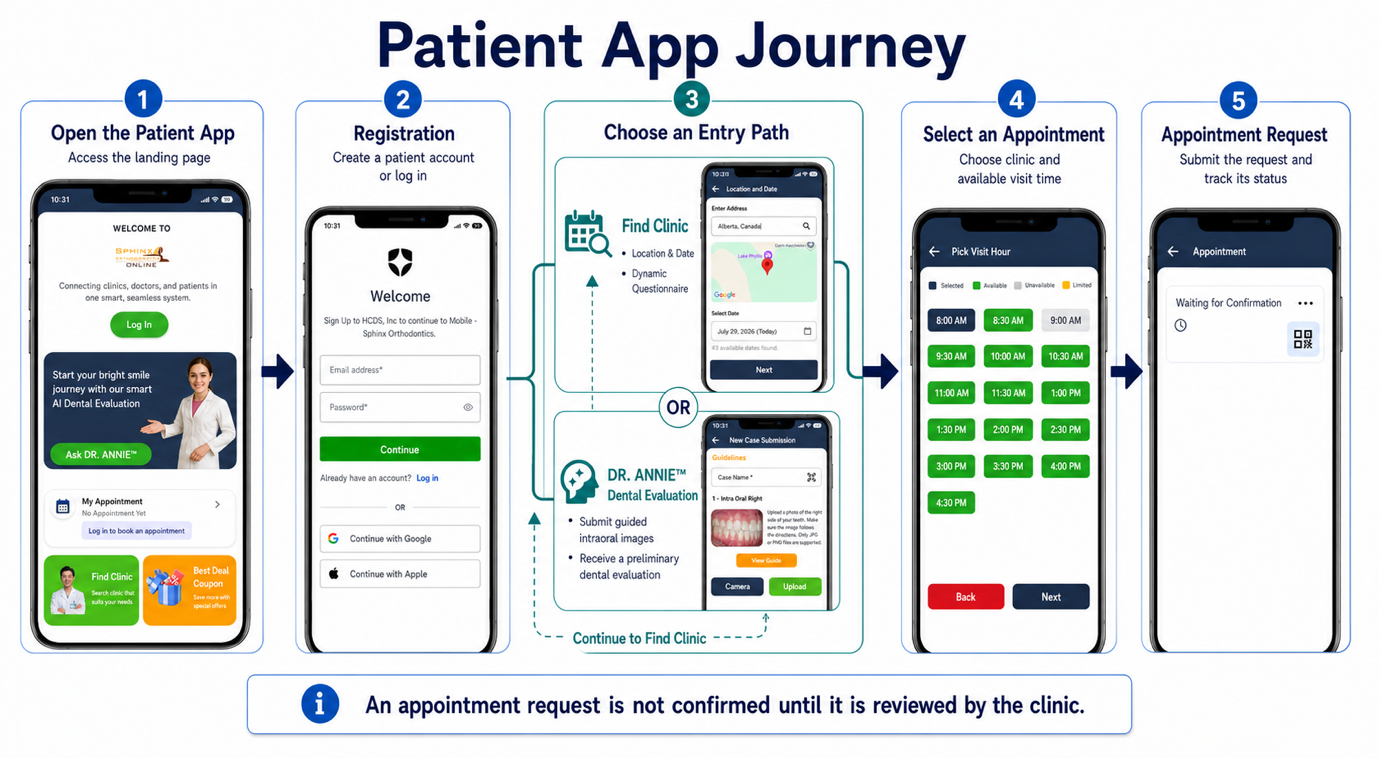
After logging in, patients can begin their journey through either of the following options:
Option A — Find a Clinic
- Enter your location and preferred date
- Complete the Dynamic Questionnaire to help match you with the right clinic
- Review the clinic search results
- Select an appointment and submit the request
Option B — Ask DR. ANNIE™
- Submit guided intraoral images following the image guidelines
- Receive a preliminary dental evaluation from DR. ANNIE™
- Review results and complete the HIPAA Release to authorize sharing
- Continue to Find a Clinic using the generated treatment codes (the Dynamic Questionnaire is skipped)
- Select an appointment and submit the request
Patients who use DR. ANNIE™ may submit guided intraoral images and receive preliminary dental evaluation results before requesting an appointment.