DR. ANNIE™ Dental Evaluation
▶ Watch: DR. ANNIE™ Dental Evaluation Overview — Opens in YouTube
The DR. ANNIE™ Dental Evaluation section shows all dental evaluation cases submitted by patients through the iSmartOffice™ Patient app, securely released in compliance with HIPAA regulations.
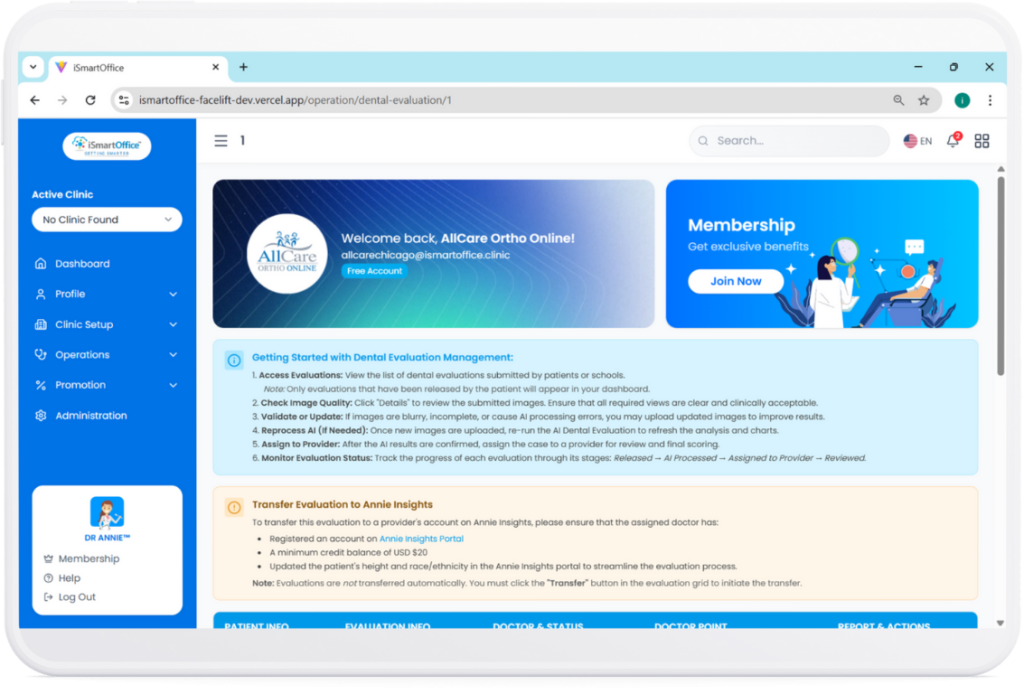
At the top of the page, you’ll see brief instructions for using this feature, followed by a list of patient cases.
Each case lets you view or download the PDF Report, or transfer it to the DR. ANNIE™ Insights platform for deeper analysis.
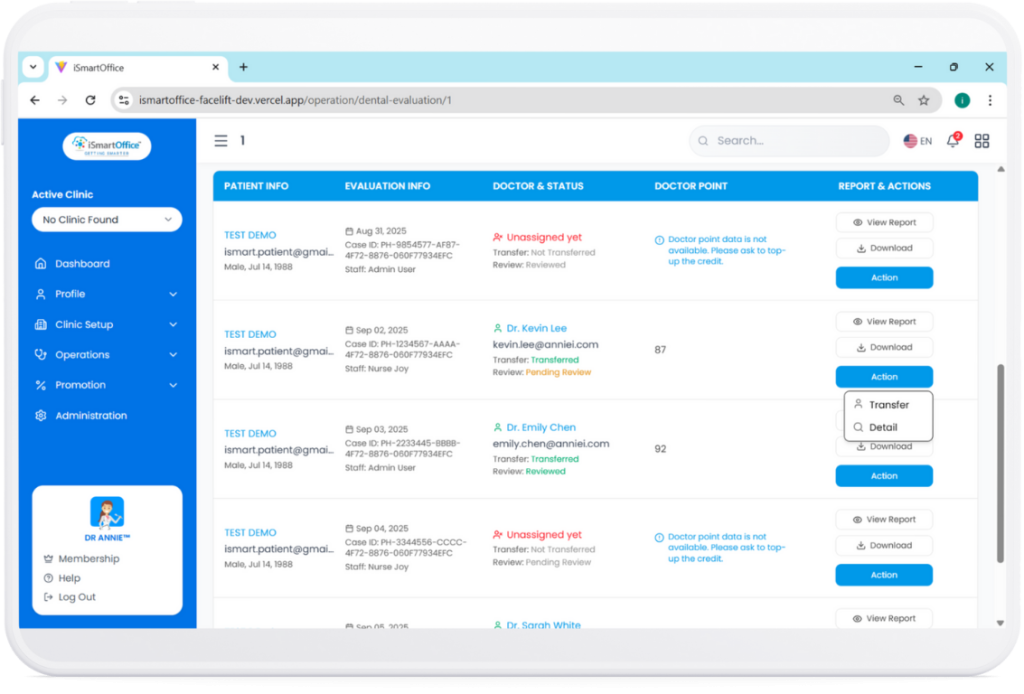
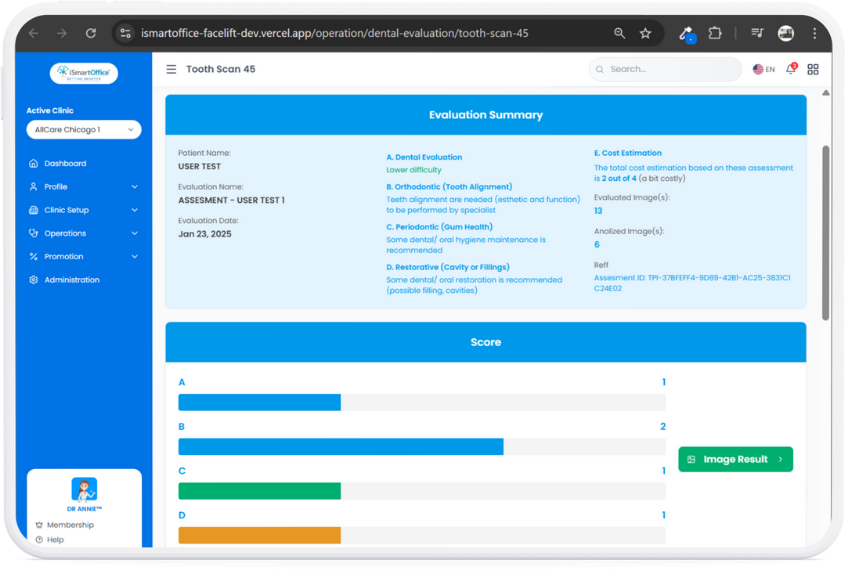
In the case detail view, you’ll find a clear Evaluation Summary, including difficulty level, tooth alignment, gum health, and cost estimation. A Score Chart is also provided to help doctors quickly review the results.
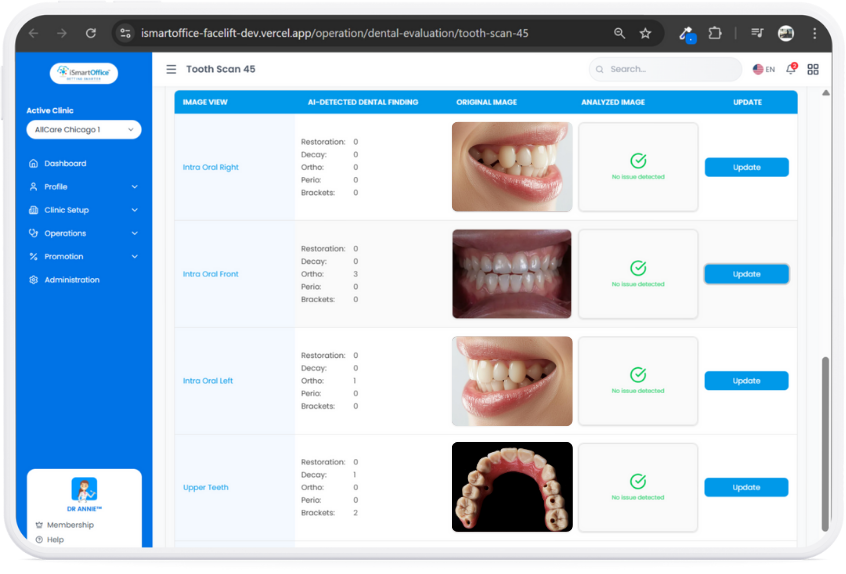
Scrolling further, you’ll see the patient’s evaluated dental images along with the findings generated by the DR. ANNIE™ AI system — giving providers a complete and easy-to-understand overview of the patient’s condition.
Assigning a Provider for Review
Once the clinic reviews a released dental evaluation, the case can be assigned to a specific provider for clinical review. The assigned provider will then be able to access the evaluation through their Provider App.
Appointment assignment and dental evaluation assignment are related but separate clinic actions. Assigning a doctor to an appointment does not necessarily mean that the dental evaluation has also been assigned for provider review.
- The preliminary dental evaluation is intended to support the consultation. It does not replace the provider's clinical examination, professional judgment, or final diagnosis.
- For a released dental evaluation, clinic staff should review the case and assign it to a provider before the consultation.
- Clinic staff should continue to use the clinic's established PMS workflow for official scheduling, clinical documentation, and patient record management.